Skip to content
WiBoost X Claim Up To 55% Off

4 Adjustable External Antennas · Dual-Band 2.4 GHz & 5 GHz · One-Touch WPS Wall Plug-In

WiBoost X WiFi Extender

Paying for fast fiber or cable internet means little when drywall, stairwells, and brick chimneys choke your signal before it reaches the bedroom or garage. WiBoost X WiFi Extender plugs into an open outlet to bridge your existing router coverage straight into stubborn dead zones.

Claim Up To 55% Off — View Packages

From $43.32 per unit Up to 55% off

  • 4 AntennasAdjustable external blades
  • Dual-Band2.4 GHz + 5 GHz radios
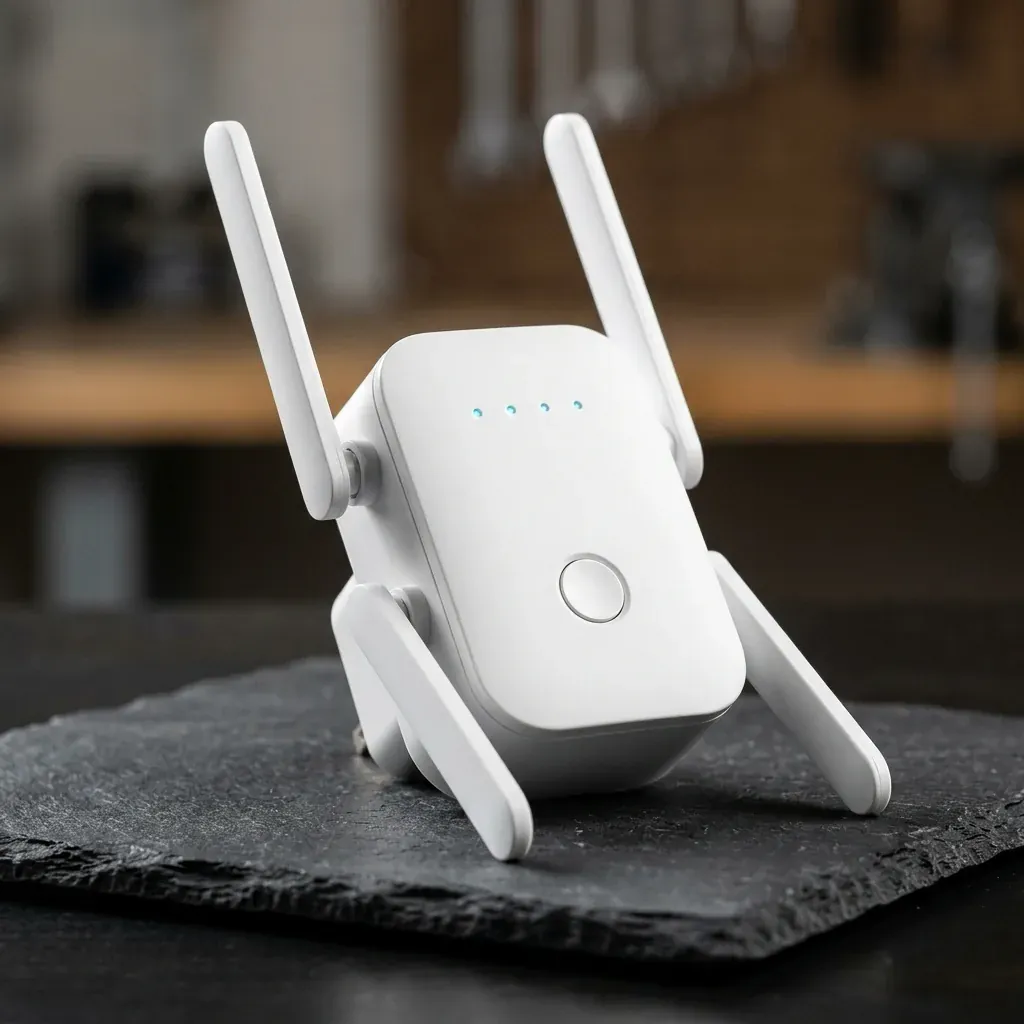
Compact rounded-square matte-white WiBoost X WiFi Extender with 4 adjustable white flat-blade antennas and glowing cyan status LEDs on dark slate
  • 1-TouchWPS or browser pairing
  • 30 DaysMoney-back guarantee

4.7

  • Four hinged external flat-blade antennas strengthen reception and rebroadcast reach
  • Dual-band 2.4 GHz and 5 GHz radios up to 1200 Mbps combined
  • Pairs in minutes via one-touch WPS button or mobile browser wizard
  • Universal router compatibility plus bottom RJ45 Ethernet port for wired gear

At a glance

Why Faster Internet Plans Rarely Fix a Dead Bedroom

Signal Geometry vs. ISP Plan Speed

Internet providers almost always install your main gateway wherever the street cable enters the basement or living-room corner. Every plaster wall, tiled bathroom, metal appliance, and floor joist between that corner and your upstairs desk attenuates radio waves—causing frozen Zoom calls, buffering smart TVs, and offline doorbell cameras even on expensive broadband plans.

WiBoost X WiFi Extender solves coverage drop-offs without drilling coaxial holes or signing higher monthly ISP contracts. While no extender raises the base speed entering your home from your provider, WiBoost X captures a strong signal mid-house and rebroadcasts usable 2.4 GHz and 5 GHz coverage into rooms your standalone router struggled to reach.

  • Eliminates weak-bar corners in upstairs bedrooms, basements, garages, and patios
  • Works alongside standard ISP gateways and third-party Wi-Fi routers with zero monthly fees
  • Front LED signal indicators help you pick the ideal mid-point wall outlet at a glance
  • Integrated RJ45 Ethernet port connects a desktop PC, smart TV, or console via cable
  • Regional plug configurations supplied automatically for US, UK, AU, DE & AT orders
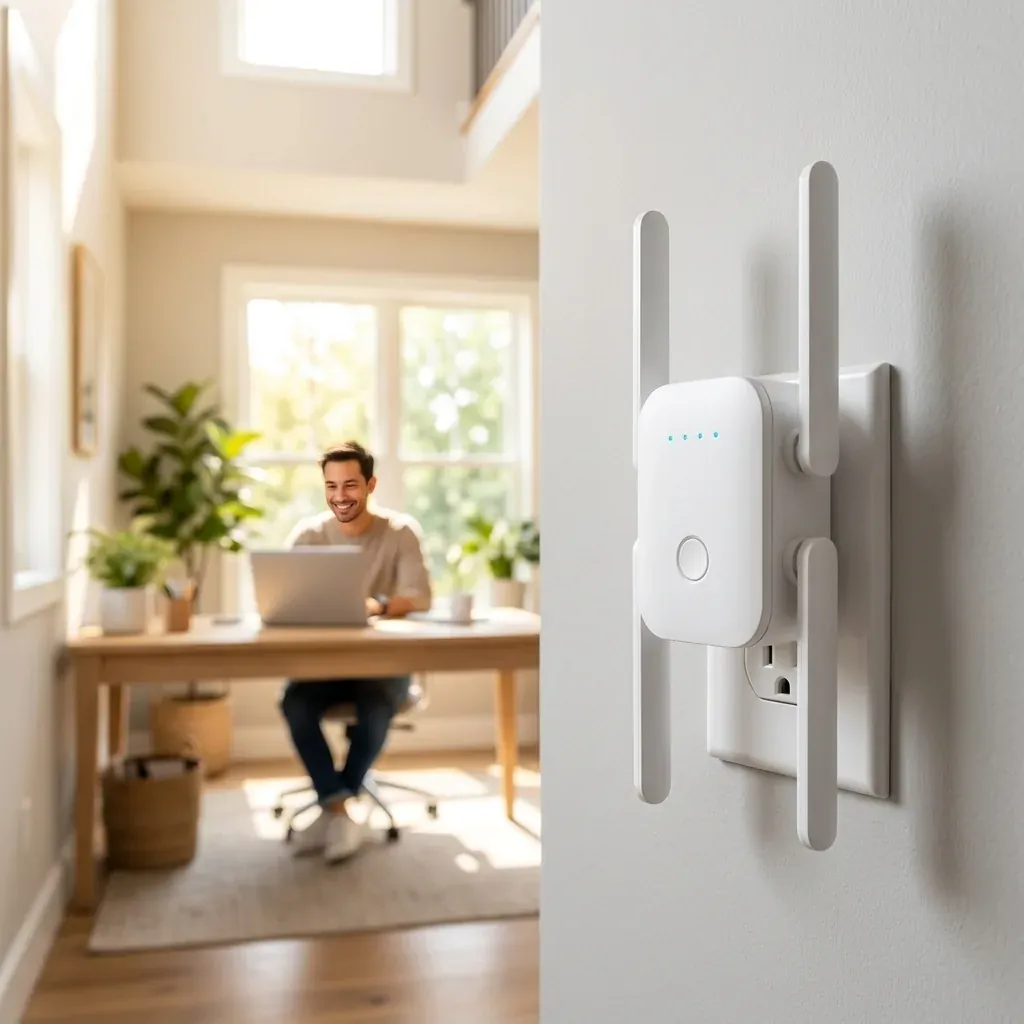
Compact matte-white 4-antenna WiBoost X WiFi Extender plugged into a bright hallway wall outlet while a remote worker uses a laptop in the background study
Placed halfway between your main router and a weak-signal room, WiBoost X relays a clean wireless bridge around walls and floors.

How it works

Three Networking Elements Giving WiBoost X Real Reach

External antenna geometry, simultaneous dual-band radios, and effortless outlet deployment.

  1. 01

    Quad External Flat-Blade Antenna Array

    Tiny button-sized mini repeaters bury microscopic circuit-board antennas right up against metal AC wall prongs, hurting both upstream router reception and downstream room coverage. WiBoost X WiFi Extender deploys four articulated external flat-blade antennas—two hinged along the top corners and two extending along the bottom—so you can orient wireless coverage vertically across two-story stairwells or horizontally down long ranch hallways. Stronger spatial antenna diversity translates into steadier packet delivery when laptops, tablets, smart TVs, and home cameras share your wireless network.

  2. 02

    Simultaneous 2.4 GHz Long-Range & 5 GHz High-Throughput Bands

    Modern households run two very different kinds of wireless traffic at the same time. WiBoost X provides simultaneous dual-band AC1200-class link rates—combining a 2.4 GHz band (up to 300 Mbps) engineered to penetrate thicker interior brick or drywall to keep smart thermostats, garage openers, and outdoor cameras connected, alongside a cleaner 5 GHz band (up to 867 Mbps) built for responsive HD video streaming, cloud file transfers, and low-jitter video calls in nearby bedrooms and offices, all protected by WPA/WPA2 encryption.

  3. 03

    Direct Wall Plug-In, WPS Pairing & Wired Ethernet Bridge

    Deploying WiBoost X takes zero networking jargon and zero clunky power bricks trailing across baseboards. Simply plug the compact matte-white unit into an open wall receptacle, press the WPS button on your existing router followed by the centered front button on WiBoost X—or follow the quick two-minute smartphone browser wizard if your gateway lacks WPS—and check the four front status LEDs to confirm a clean link. A built-in bottom RJ45 Ethernet port even lets you hardwire a desktop PC or TV.

In real life

Clean Architectural Footprint for Multi-Story & Brick Homes

Built to Blend Into Hallways While Bridging Stubborn Dead Zones

Chapter 1

PURPOSEFUL INDUSTRIAL DESIGN

Low-Profile Matte-White Housing With Side Thermal Vents
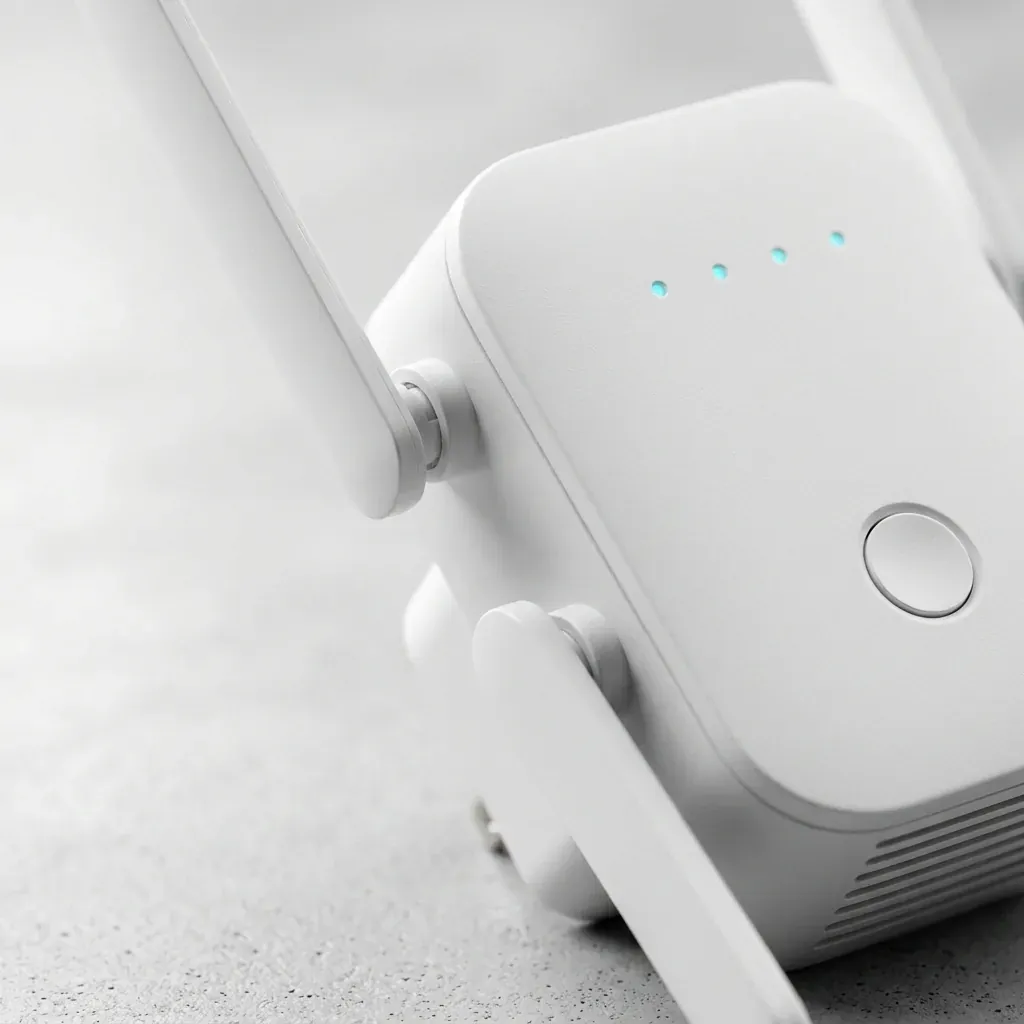
Macro studio close-up of the matte-white WiBoost X housing showing its hinged flat-blade antennas, side cooling vents, 4 cyan LED pinholes, and centered push button

Because wireless home infrastructure stays plugged into your hallway or stairwell landing twenty-four hours a day, passive thermal management and clean architectural restraint genuinely matter in lived-in rooms. WiBoost X pairs a sculpted rounded-square matte-white shell with discreet perimeter airflow slots that allow the internal dual-band radio hardware to shed warmth silently around the clock without noisy cooling fans, bulky external power bricks, or distracting late-night bedroom light glare.

Across the upper front face, four pinpoint cyan-blue LED indicators give you instant visual clarity on power status, upstream router signal quality, and active client device traffic. That real-time visual feedback prevents the single most common Wi-Fi extender mistake—plugging a repeater directly inside a zero-bar dead zone—by confirming at a single glance when you have chosen a strong halfway hallway receptacle between your primary broadband router and distant upstairs bedrooms, home offices, garages, or covered outdoor patios across your entire property.

Matte-white architectural finish · 4 pinhole status LEDs · Centered tactile WPS button for fast router handshakes
Chapter 2

WIRED + WIRELESS FLEXIBILITY

Turn Any Outlet Into a Wired Drop or Access Point

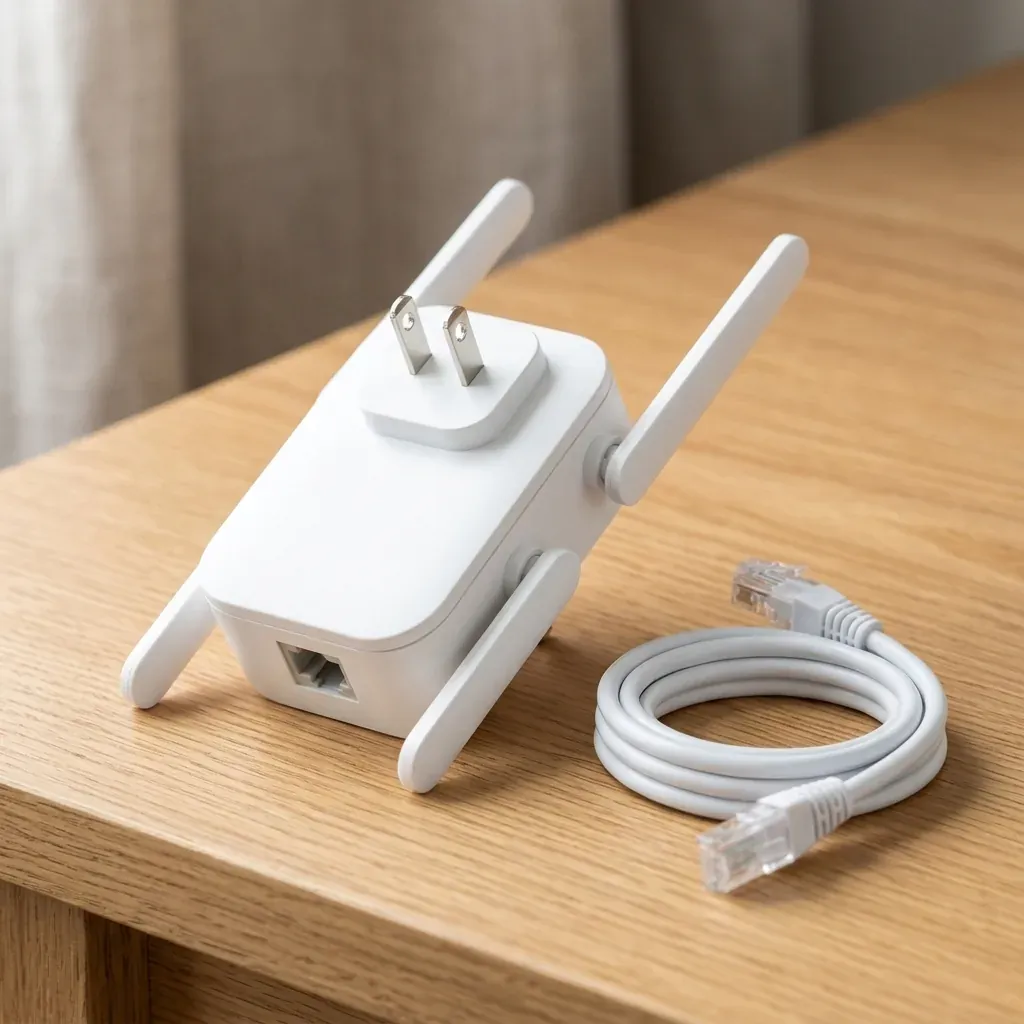
Side-and-rear studio view of the WiBoost X WiFi Extender highlighting its integrated wall plug prongs, bottom RJ45 Ethernet port, and white Ethernet cable

Plenty of stationary household equipment—custom desktop workstations, home-office laser printers, gaming consoles, older smart televisions, and VoIP desk phones—either lack built-in wireless cards altogether or operate far more consistently over a physical Ethernet patch cord than over crowded neighborhood airwaves. Drilling holes through finished drywall or running sixty feet of loose Cat6 cable across carpeted stairs and doorways in a busy family home, however, is rarely practical.

The integrated bottom RJ45 port on WiBoost X solves both directions effortlessly inside one compact plug-in wall unit. In Repeater mode, it captures your existing wireless signal and hands a clean wired Ethernet link straight to a nearby desktop PC, network printer, or smart television; in Access Point mode, you can connect an existing wired LAN cable in a finished basement or backyard garden studio directly into WiBoost X to broadcast fresh dual-band Wi-Fi coverage throughout that entire wing of your family home with ease.

Integrated bottom RJ45 port · Repeater & Access Point versatility · Ships with regional wall prongs for US, UK, AU, DE & AT

Specifications

WiBoost X WiFi Extender Technical Sheet

Wireless standards, radio bands, physical ports, security protocols, and regional checkout availability.

Product Name
WiBoost X WiFi Extender
Antenna Configuration
4 Adjustable External Hinged Flat-Blade Omnidirectional Antennas
Wireless Frequency Bands
Simultaneous Dual-Band 2.4 GHz & 5 GHz
Maximum Theoretical Link Rate
Up to 300 Mbps (2.4 GHz) + Up to 867 Mbps (5 GHz) — AC1200 Class
Supported Wi-Fi Standards
IEEE 802.11ac / a / b / g / n (Compatible With Standard Routers & Gateways)
Operating Modes
Wireless Range Extender (Repeater) & Wired Access Point / Client Bridge
Wired Interface
1× Bottom RJ45 Ethernet LAN/WAN Port
Pairing Methods
One-Touch Front WPS Push Button or Web Browser Setup Wizard
Wireless Security
WPA-PSK / WPA2-PSK Encryption
Power & Plug Type
Direct Wall Outlet Plug-In (Regional Prongs Supplied for US, UK, AU, DE/AT)
Merchant / Distributor
Straight Commerce Inc. (100 Church St, 8th Fl, New York, NY 10007)
Return Guarantee
30-Day Money-Back Guarantee

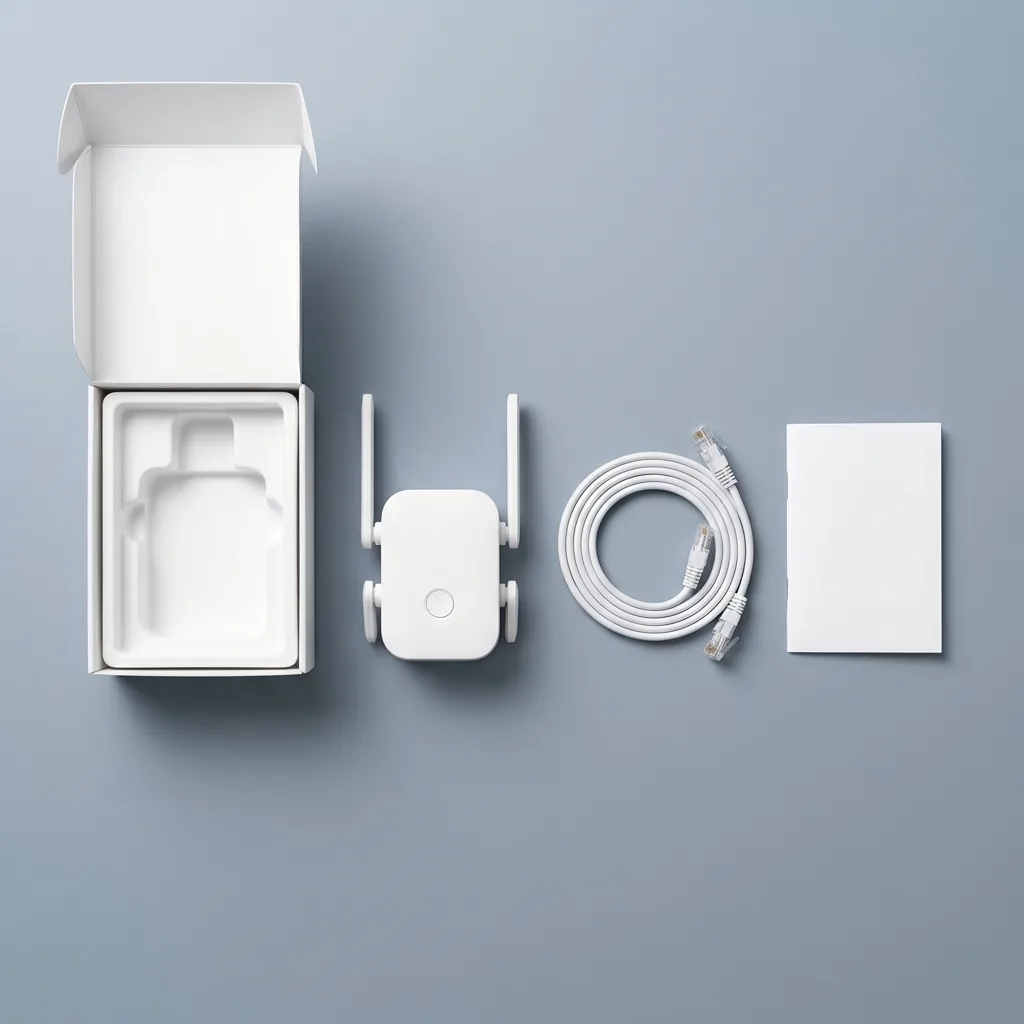
In the box

What Comes Inside Your WiBoost X Box

Compact, cable-free wall hardware ready to pair with your existing home router.

Overhead flat-lay unboxing view of the matte-white 4-antenna WiBoost X WiFi Extender, coiled white Ethernet patch cable, and quick-setup guide beside a clean white box
  • 1

    WiBoost X Dual-Band 4-Antenna Extender

    Extender Unit

    Matte-white plug-in wireless extender fitted with 4 adjustable external flat-blade antennas, front status LEDs, and regional AC prongs.

  • 2

    RJ45 Ethernet Patch Cable

    Ethernet Cable

    Handy Ethernet cable for optional Access Point wiring or connecting a stationary smart TV, console, or desktop computer.

  • 3

    Step-By-Step Quick Setup Guide

    Setup Guide

    Plain-English instructions covering both one-touch WPS pairing and two-minute smartphone browser configuration.

Setup

How to Set Up WiBoost X for Best Coverage

Placement halfway between your router and the dead zone is the secret to strong throughput.

  1. Start Near Your Main Router

    Plug WiBoost X into an outlet in the same room as your Wi-Fi router for initial pairing and wait for the power LED to stabilize.

  2. Pair via WPS or Smartphone Browser

    Press WPS on your router then press the front WiBoost X button—or connect via your phone Wi-Fi settings to pick your home network.

  3. Relocate Halfway to the Dead Zone

    Unplug and move WiBoost X to a hallway or stairwell outlet roughly midway where it still catches a solid router signal.

  4. Angle the 4 External Antennas

    Adjust the top and bottom flat-blade antennas and connect laptops, TVs, or cameras to your newly extended coverage zone.

Side by side

WiBoost X vs. Mesh Overhauls & ISP Rental Pods

Fix specific weak-signal rooms without replacing your working router or paying monthly pod fees.

FeatureWiBoost X ExtenderFull Mesh Router ReplacementISP Monthly Rental Pods
Upfront CostFrom $49.95 single ($43.32/ea in US 3-pack)Often $250 to $500+ for multi-node kitsRecurring $10–$15/month forever on bill
Keep Existing Router? Yespairs with your current routerUsually requires reconfiguring whole networkLocked strictly to one ISP gateway
External Antenna Gain4 adjustable external flat-blade antennasInternal hidden antennas onlyTiny internal antennas
Setup TimeMinutes via WPS button or phone browserRequires account creation & mobile appRequires ISP account provisioning
Wired Ethernet PortBuilt-in bottom RJ45 portIncluded on most nodesFrequently omitted on mini pods
Monthly Subscription$0 — one-time hardware purchaseOptional cloud security subscriptionsOngoing monthly rental fee

Actual wireless throughput and range depend on wall materials, placement distance from your router, interference, and your ISP internet plan speed.

Owner reviews

How Owners Fixed Dead Zones With WiBoost X

Real feedback from remote workers, homeowners, and multi-floor households.

4.7

4.7 out of 5 · Verified household feedback

Claim Up To 55% Off
  • Finally kept our garage driveway camera and upstairs office online

    Our fiber gateway sits tucked behind the television in our downstairs family room at the very back of the house, which meant our front garage floodlight camera dropped offline three times a week and my wife spare-bedroom office above the garage froze constantly during afternoon Teams calls. We ordered the WiBoost X 2-pack, plugged one unit into the front foyer outlet and the second at the top of the stairs, and paired both via the WPS button in under five minutes. Both problem zones jumped straight to full signal bars without forcing us to rename or reconnect twenty other smart devices.

    Martin H.Charlotte, NC · October 2026 Verified Buyer
  • Pushed signal straight through thick Victorian brick interior walls

    Solid load-bearing brick interior walls in older UK terraced homes eat wireless signals alive—walking twenty-five feet from our front lounge into the rear kitchen extension used to drop my phone straight onto mobile data. Plugging WiBoost X into the middle hallway socket where it still caught a clean 5 GHz link from our broadband hub bridged coverage all the way through the kitchen dining table and out onto the back garden patio. Running the browser setup wizard on my phone took barely three minutes, and the UK three-pin plug version arrived ready to use right out of the shipping box.

    Simon P.Bristol, UK · October 2026 Verified Buyer
  • Bottom Ethernet port saved my desktop PC in a room with no wall jack

    My custom editing workstation does not have an internal Wi-Fi card, and stapling a sixty-foot Ethernet cable across two hallway doorframes in a leased apartment was completely out of the question. I plugged WiBoost X into the wall receptacle right beside my desk, linked it to our living-room router on the 5 GHz band, and snapped the included white RJ45 patch cord from the bottom port straight into my computer motherboard. It has held a rock-solid connection through weeks of large cloud project uploads and daily team video meetings with zero hallway cable clutter or frustrating afternoon connection drops while working.

    Derek L.Phoenix, AZ · October 2026 Verified Buyer
  • Stopped our basement smart TV from buffering every Friday movie night

    Streaming live sports or 4K movies in our finished basement rec room used to buffer every ten minutes because sheet-metal HVAC ductwork running between the floor joists blocked our main-floor router. Placing a WiBoost X on the mid-stairwell landing outlet with two flat antennas angled upward and two angled downward gave both our wall-mounted smart television and the kids gaming handhelds smooth, uninterrupted 5 GHz reception every single evening. Spending once on hardware we actually own easily beats paying our cable provider twelve dollars every single month forever just to rent one of their locked-down wireless mini pods on our bill.

    wendy r.columbus, oh · October 2026 Verified Buyer
  • Covered our backyard studio and covered patio in Sydney effortlessly

    Working on my laptop out on our covered back timber deck on warm afternoons used to be hopeless until we plugged WiBoost X into an indoor power point near the rear sliding glass doors. Having four adjustable external flat-blade antennas makes a clear real-world difference compared to the tiny antenna-less plastic repeater block we tried two summers ago. Now my work laptop, smartphone, wireless speaker, and backyard weather station hold a dependable dual-band connection all the way down to our rear garden shed on our existing home NBN router without ever dropping important client voice or video calls all week.

    Lachlan B.Sydney, AU · November 2026 Verified Buyer
  • Works great once you place it halfway—not inside the dead zone itself

    During the first ten minutes after unboxing I made the classic rookie mistake of plugging WiBoost X directly behind the headboard in our furthest upstairs guest bedroom where my phone barely gets a flicker of one bar—and naturally no repeater can amplify a signal that is already gone. As soon as I moved it twelve feet back into the upstairs hallway outlet where the front cyan LEDs confirmed a strong upstream link to our router downstairs, coverage inside the guest bedroom and bath jumped right up for smooth HD streaming. Follow that simple halfway placement rule and it works great.

    Tobias K.Munich, DE · November 2026 Verified Buyer

Honest fit check

When WiBoost X Is the Smart Fix

Clear networking expectations before you order.

Ideal For Your Home If…

  • Your internet is fast near the router, but drops to one weak bar in upstairs bedrooms, basements, garages, or back patios
  • You have outdoor security cameras, video doorbells, or smart garage openers disconnecting at the edge of your house
  • You want dual-band 2.4 GHz + 5 GHz extension without replacing your existing router or paying monthly ISP rental fees
  • You live in a large, multi-story, brick, or L-shaped home where 2 or 3 plug-in units can bridge distant wings

Not the Right Tool If…

  • You do not have an active home internet connection or working router: WiBoost X extends an existing Wi-Fi network—it is not a standalone cellular hotspot or cable modem.
  • Your speed is already slow when standing two feet from your main router: no range extender can multiply a slow base ISP plan; it extends your existing coverage into weak-signal rooms.

Up to 55% off today

Choose Your WiBoost X Package

Pick your bundle below, then select your delivery country (US, UK, Australia, Germany, or Austria) on the next screen for localized currency & plug checkout.

1 Choose a bundle

  • 30-Day Money-Back Guarantee from Straight Commerce Inc.
  • Accepts PayPal & major cards on localized encrypted checkout
  • Dedicated checkouts for US, UK (£), Australia (AU$), Germany & Austria (€)

USD checkout totals shown above ($49.95 / $94.95 / $129.95). Regional checkouts display local currency starting at £49.95 (UK), AU$79.95 (Australia), and €54.95 (Germany & Austria), with shipping and applicable tax shown before payment.

FAQ

Common Questions About WiBoost X WiFi Extender

Straightforward answers on router compatibility, ISP speeds, placement, regional plugs, and returns.

Will WiBoost X work with my existing internet provider router?

Yes. WiBoost X communicates over universal IEEE 802.11ac/a/b/g/n wireless standards across both 2.4 GHz and 5 GHz, making it compatible with standard residential Wi-Fi routers and fiber, cable, NBN, or DSL gateways across the United States, United Kingdom, Australia, Germany, and Austria—with zero recurring monthly rental charges on your bill.

Does a Wi-Fi extender make my base internet plan faster?

No wireless range extender can raise the base broadband plan speed delivered into your home modem by your internet service provider. Instead, WiBoost X eliminates frustrating signal drop-offs in distant rooms where interior walls, floors, and stairwells previously caused weak one-bar reception, packet loss, frozen calls, and constant video buffering.

Where is the best place to plug in WiBoost X?

Always plug WiBoost X into a wall outlet roughly halfway between your primary router and the dead zone—such as a central hallway or stairwell landing where it still catches a solid upstream signal from your router. Plugging any extender directly inside a zero-signal corner gives it nothing strong to relay.

What if my router does not have a physical WPS button?

That is completely fine and very common on modern ISP gateways. Alongside one-touch WPS push-button pairing, WiBoost X features a built-in browser configuration wizard requiring zero app downloads. Simply connect to the WiBoost X setup network from any phone, tablet, or laptop browser, pick your home Wi-Fi, and enter your password.

What is the difference between the 2.4 GHz and 5 GHz bands?

The 2.4 GHz band (up to 300 Mbps link rate) penetrates solid walls, doors, and floors more effectively over longer distances—making it ideal for garage cameras, smart plugs, and far bedrooms. The 5 GHz band (up to 867 Mbps link rate) delivers higher throughput and lower interference for nearby 4K TV streaming and video calls.

What does the bottom RJ45 Ethernet port do?

In Repeater mode, you can run the included Ethernet patch cable from the bottom of WiBoost X straight into a desktop PC, smart TV, printer, or gaming console that lacks reliable Wi-Fi. Alternatively, in Access Point mode, you can plug a wired LAN drop from your router into WiBoost X to broadcast fresh dual-band Wi-Fi.

Will I receive the right wall plug for my country?

Yes. When you click your preferred bundle above and choose the United States, United Kingdom, Australia, Germany, or Austria on the next screen, you are directed to that region dedicated official checkout page displaying local currency ($49.95 US / £49.95 UK / AU$79.95 AU / €54.95 DE & AT) and matching wall prongs.

Can I use more than one WiBoost X in a large or multi-floor house?

Yes. Larger multi-story houses, L-shaped ranch layouts, thick masonry homes, and properties with attached garage workshops frequently deploy two or three extenders—for instance, one unit bridging signal upstairs and a second unit bridging coverage toward the rear patio or garage—each paired directly back to your main router rather than daisy-chained together.

Is my home network still password-protected through the extender?

Yes. WiBoost X preserves industry-standard WPA-PSK / WPA2-PSK wireless security encryption across both its 2.4 GHz and 5 GHz extended bands, ensuring neighbors or passersby on the street cannot join your home network without authorization. Every laptop, smartphone, camera, and smart-home device connected through the extender remains protected behind encrypted local Wi-Fi.

How does the 30-Day Money-Back Guarantee work?

Every purchase completed on the official regional checkout is protected by a 30-Day Money-Back Guarantee from Straight Commerce Inc. (`100 Church Street, 8th Floor, New York, NY 10007, USA`). Simply reach out to customer support at help@spark-tek.co or +1 (866) 300-8985 within 30 days for return instructions and order assistance.

Up to 55% off today

Push Reliable Wi-Fi Into Every Corner of Your Home

Select your WiBoost X bundle and delivery country today—backed by PayPal-enabled encrypted checkout and a 30-Day Money-Back Guarantee.

Claim Up To 55% Off — View Packages
−55% Up to 55% offFrom $43.32 per unit Claim Up To 55% Off — Order Now